🔌 Loader Connection Was Lost
What This Means
This error usually occurs when your system clock is out of sync with the server.
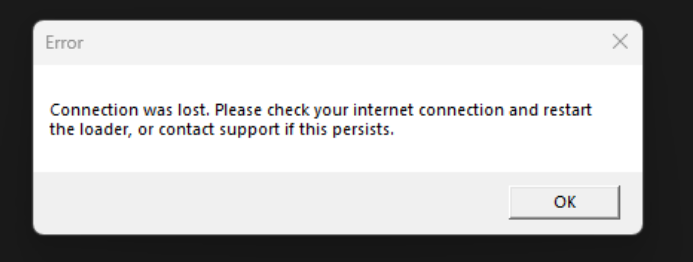
How to Fix It
✅ Step 1: Open Settings
Press Start and click Settings.
✅ Step 2: Go to Time & Language
Select Time & Language from the menu.
✅ Step 3: Open Date & Time
Click Date & Time.
✅ Step 4: Synchronize Your Clock
Under "Synchronize your clock", click Sync Now.
⚠️ Important Notes
Keeping your system clock accurate ensures stable loader connections.
If the issue persists, check your internet connection and firewall settings.
Recently updated
- Aimpal 2023 | User Setup Manual Sep 3, 2026, 10:44 AM
- Titan | User Setup Manual Sep 3, 2026, 10:44 AM
- Zynex 2019 | User Setup Manual Sep 3, 2026, 10:43 AM
- Grey 2022 | User Setup Manual Sep 3, 2026, 10:42 AM
- Zynex 2020 | User Setup Manual Sep 3, 2026, 10:41 AM
- 🔄 loader stuck on connecting/failed to check for update no matter what Sep 3, 2026, 10:18 AM